Google Sheets Function: TEXTJOIN
The TEXTJOIN function combines the values from one or more cell ranges and allows for the definition of a separator.
Its great advantage over the JOIN function is that it also allows for ignoring empty cells.
Usage:
=TEXTJOIN(delimiter, ignore_empty, text1)
or
=TEXTJOIN(delimiter, ignore_empty, text1, text2, etc)
Example of Use
The goal here is to assemble the non-empty references from the table:
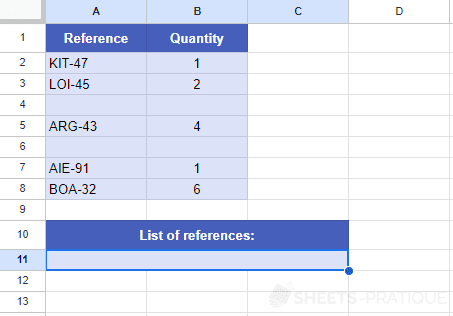
To get the list of references from the table separated by commas, enter the following information:
- delimiter: to separate by commas, enter
, - ignore_empty: to ignore empty cells, enter 1 (or 0 if not)
- text1: enter the range of cells to be assembled
The formula here is:
=TEXTJOIN(", ",1,A2:A8)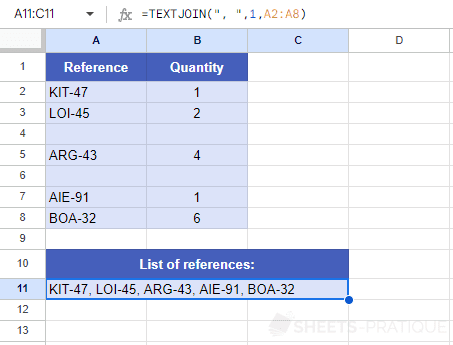
Assemble and Sort
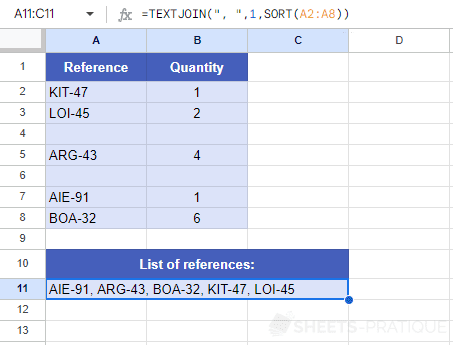
This function can also be combined with other functions, for example with the SORT function to sort references before assembling them:
=TEXTJOIN(", ",1,SORT(A2:A8))